Syfe Login Singapore: Step-by-Step Guide to Access Your Account (2026)
How to sign in on the web and the app, set up the OTP-based two-factor step, and fix the login errors that actually come up.
Syfe logs you in with an email, a password and a 4-digit one-time code, not with CDP credentials or Singpass. That trips up people comparing it to a bank app or to FSMOne, so here is exactly what the first login looks like on the web and in the app, plus the fixes for the errors that actually show up.
Not financial advice. This is an independent guide and not affiliated with Syfe Pte. Ltd.
Table of Contents
What You Need Before Your First Login
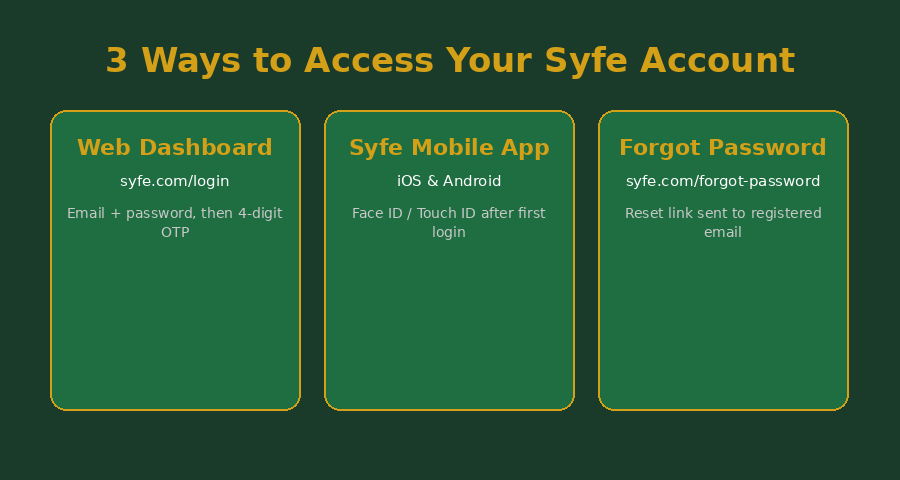
You need the email address you used to open your Syfe account, the password you set at sign-up, and access to that inbox or your registered phone number for the OTP step. Syfe does not use Singpass, CDP, or a hardware token to log in. Singpass only comes into play once, during account opening, for MyInfo verification.
If you have not opened an account yet, sign-up runs through the same syfe.com/login page and takes about 10 minutes with your NRIC and a selfie.
How to Log In to Syfe on the Web
- Go to syfe.com/login.
- Enter your registered email address and password.
- Click “Log In”.
- A 4-digit code arrives by email or SMS within seconds. Enter it on the following screen.
- Submit the code before it expires and you land on your dashboard.
If you signed up through a referral link, your dashboard already shows the portfolio you selected, whether that’s Core, Cash+, Income+ or the brokerage account.
How to Log In to the Syfe Mobile App
Download Syfe from the App Store or Google Play. The first login on a new device needs the same email, password and OTP as the web version. After that, the app offers Face ID or Touch ID on iOS, and fingerprint unlock on Android, so you skip the OTP step on that same device going forward.
How Syfe’s OTP-Based 2FA Works
Syfe does not offer authenticator-app (TOTP) two-factor login, only a 4-digit one-time code sent to your registered email or phone. That is weaker than an authenticator app against SIM-swap attacks, though still stronger than no second factor at all. Keep the email address on your account current, and don’t reuse that password anywhere else. Email-based OTP means whoever controls your inbox controls your Syfe login too.
Common Login Issues and Fixes
| Issue | Likely Cause | Fix |
|---|---|---|
| OTP code never arrives | Email landed in spam, or registered phone number is outdated | Check your spam folder, then update your number under Settings > Profile |
| “Incorrect password” on a password you’re sure is right | An old password saved in browser autofill | Use “Forget Password” at syfe.com/forgot-password instead of retyping from memory |
| OTP expired before you entered it | Too much time between the code arriving and you entering it | Request a fresh code, it resets the countdown |
| Logged out of the app repeatedly | A pending app update or a corrupted session | Update the app from the App Store or Play Store, then log in again |
| Locked out after several failed attempts | Too many incorrect password or OTP entries in a row | Wait out the cooldown period shown on screen, or reset your password directly |
What You Can Access Once You’re Logged In
Your dashboard covers whichever products you’ve opened: Core managed portfolios, Cash+ (Flexi, Guaranteed, Enhanced), Income+, REIT+ and the Syfe Trade brokerage for US, SGX, HKEX and London stocks. Everything sits under the one login. You don’t need a separate set of credentials for the brokerage arm the way some platforms split investing and trading accounts.
New to Syfe? The Current Referral Code
If you don’t have a Syfe account yet, code SRPRFFFCD is the one currently live on our referral page, along with the latest sign-up bonus terms.
Frequently Asked Questions
Is Syfe login safe?
Do I need Singpass to log in to Syfe?
Can I use the same login for Syfe Trade and Syfe Core or Cash+?
What do I do if I lost access to my registered email?
Does Syfe support Face ID login?
Why does my OTP keep expiring?
Is there a separate login for Syfe SRS or CPF-linked accounts?
This article was researched with the help of AI. While we strive to keep all information accurate and up to date, there may be errors. If you notice any discrepancies, please contact us.