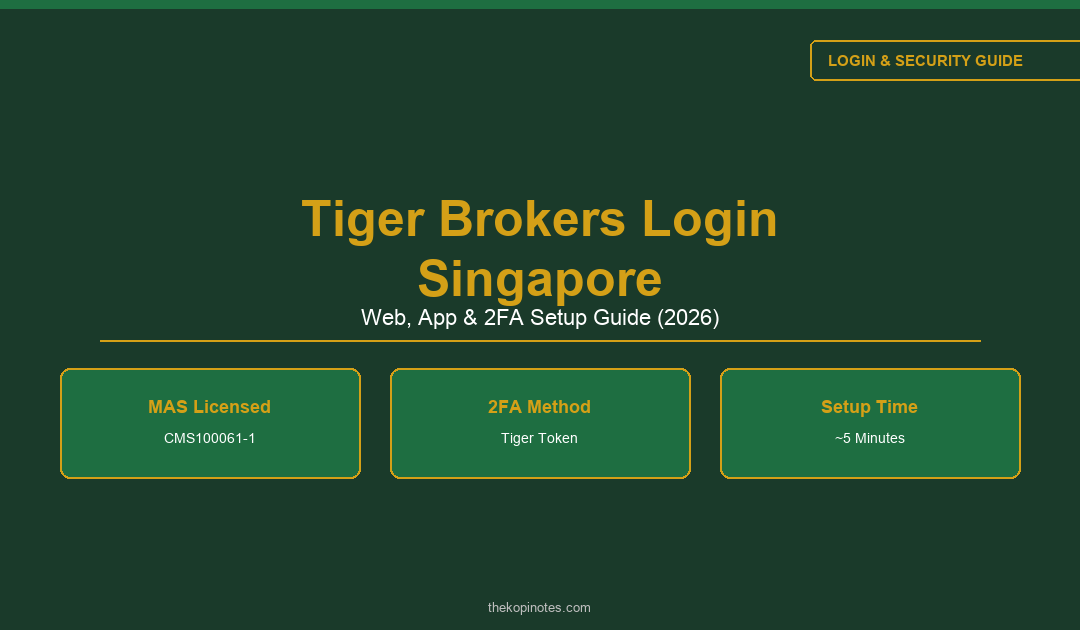
Tiger Brokers Login Singapore: Web, App & 2FA Setup Guide (2026)
Step-by-step sign-in for web and the Tiger Trade app, Tiger Token setup, and fixes for the most common access issues.
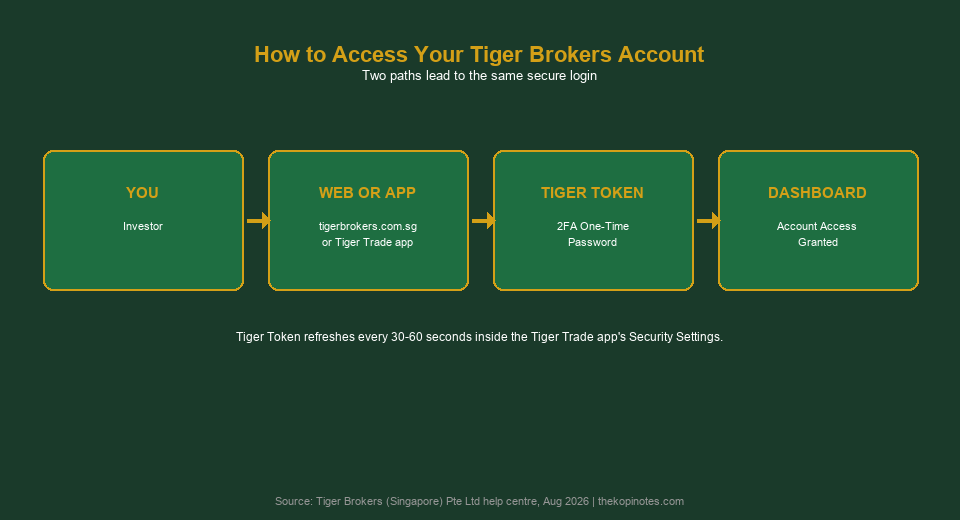
You can log in to Tiger Brokers Singapore two ways: through the web portal at tigerbrokers.com.sg, or via the Tiger Trade mobile app. Both require your registered email or phone number, your password, and a one-time passcode from Tiger Token (2FA) if you have it switched on. First-time users should set up Tiger Token immediately, since Tiger Brokers is a MAS-licensed broker and 2FA is your main defence against unauthorised access.
Not financial advice. All figures for educational reference only. Data verified as at 2 August 2026 against Tiger Brokers’ official Singapore help centre and MAS Financial Institutions Directory.
- Web login is at tigerbrokers.com.sg — app login uses the Tiger Trade app.
- Turn on Tiger Token (2FA) under Security Settings — it takes under 5 minutes.
- Locked out? Use the in-app “Forgot password” link before contacting support.
Table of Contents
How to Log In to Tiger Brokers on Web
Go to tigerbrokers.com.sg/acct/auth/login in your browser. This is the official Singapore login portal for Tiger Brokers (Singapore) Pte Ltd.
Here’s the flow:
- Enter the email address or mobile number you used to register.
- Enter your login password. If your browser has saved an old password, clear it first — mismatched autofill is a common cause of failed logins.
- If Tiger Token is switched on, key in the current 6-digit code shown in the Tiger Trade app.
- Click “Login” to land on your account dashboard.
You do not need the Tiger Trade app installed to log in on web — but you do need it open on your phone to read the Tiger Token code if you have 2FA enabled.
How to Log In on the Tiger Trade App
The Tiger Trade app is built by Tiger Fintech (Singapore) Pte Ltd and is the official mobile app for Tiger Brokers Singapore accounts. Download it from the App Store or Google Play, then follow these steps.
- Open Tiger Trade and tap “Log In” on the welcome screen.
- Select Singapore as your region if prompted — this routes you to the correct server for your account.
- Enter your registered email or phone number and password.
- Complete the Tiger Token or SMS verification step if 2FA is active.
- Enable Face ID or fingerprint login under Settings so you don’t re-type your password every session.
You, the app, and the web portal all connect to the same underlying Tiger Brokers Singapore account — funds, positions, and order history stay in sync across both.
| Login Method | Best For | Needs Tiger Trade App? |
|---|---|---|
| Web (tigerbrokers.com.sg) | Desktop trading, larger charts | Only for reading the 2FA code |
| Tiger Trade app | On-the-go trading, price alerts | Yes — it is the app |
Source: Tiger Brokers Singapore official help centre, Aug 2026.
Setting Up Tiger Token (2FA)
Tiger Token is Tiger Brokers’ built-in two-factor authentication (2FA) — a security check that asks for a rotating one-time password on top of your login password. It works like Google Authenticator, but it’s built directly into the Tiger Trade app, so you don’t need a separate app.
To turn it on:
- Open Tiger Trade and go to Me > Settings > Security Settings.
- Tap “Tiger Token” and follow the prompt to activate it — this usually just confirms your existing login.
- From then on, both web and app logins will ask for the current Tiger Token code after your password.
However, MAS-regulated brokers strongly encourage 2FA because your brokerage account holds real securities and cash — the same reason you would enable 2FA on internet banking. Turning it on takes under five minutes and meaningfully reduces the risk of someone accessing your account with just a stolen password.
Forgot Password or Locked Out?
If you can’t remember your Tiger Brokers password, don’t keep guessing — repeated failed attempts can temporarily lock your account.
- On the login screen, tap or click “Forgot password?”.
- You’ll be routed to tigerbrokers.com.sg/acct/auth/forget, where you enter your registered email or phone number.
- Enter the verification code sent to you, then set a new password.
- Log back in with your new password — you may be asked to re-verify Tiger Token on the new session.
If you’re locked out after multiple failed attempts, wait around 30 minutes before trying again, or use Tiger Brokers Singapore’s live chat support if you need it unlocked sooner.
Common Login Issues and How to Solve Them
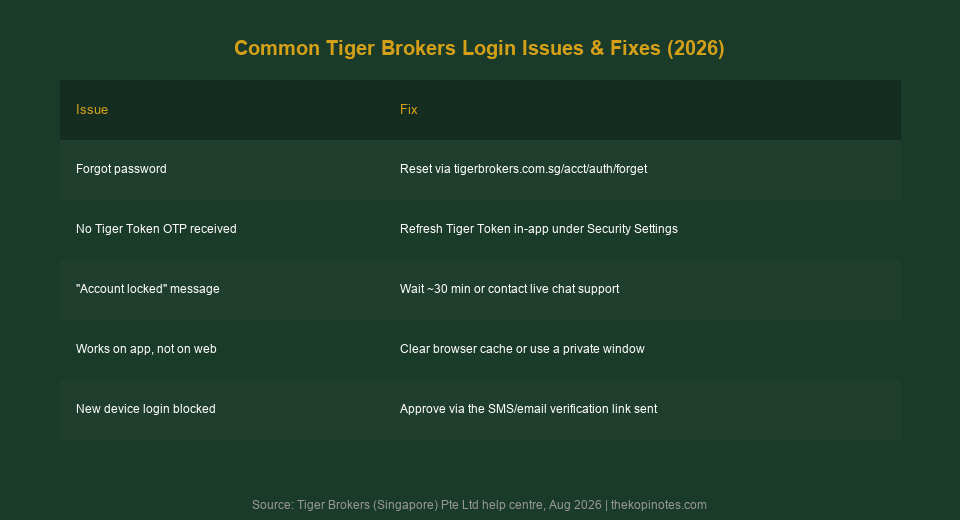
Most Tiger Brokers login problems fall into a handful of predictable categories. Here’s the quick-reference fix list:
| Issue | Likely Cause | Fix |
|---|---|---|
| Forgot password | Saved/old password in browser | Use the “Forgot password?” reset link |
| No Tiger Token code | Token not refreshed, weak connection | Refresh Tiger Token under Security Settings |
| “Account locked” message | Too many failed login attempts | Wait ~30 minutes or contact live chat |
| Works on app, not web | Cached browser session or cookies | Clear cache or use a private window |
| New device login blocked | Device verification required | Approve via the SMS/email link sent |
Source: Tiger Brokers Singapore help centre, Aug 2026.
Is Tiger Brokers Login Secure?
Yes. Tiger Brokers (Singapore) Pte Ltd holds a Capital Markets Services (CMS) licence from the Monetary Authority of Singapore (MAS), licence number CMS100061-1. That licence comes with strict rules on how client accounts and assets are handled.
- Client funds are held in segregated accounts with DBS Bank as custodian, separate from Tiger’s own corporate funds.
- US-listed securities held through Tiger Brokers are additionally protected by SIPC coverage up to USD 500,000.
- Login sessions support Tiger Token 2FA, device verification for new logins, and biometric login (Face ID/fingerprint) on mobile.
You can verify Tiger Brokers’ MAS licence yourself on the MAS Financial Institutions Directory — search “Tiger Brokers” and confirm the CMS licence status is active before funding a new account.
New to Tiger Brokers? How to Open an Account
If you don’t have login credentials yet because you haven’t signed up, opening an account takes about 10 minutes online, with most applications approved within 1–3 business days.
- Go to Tiger Brokers Singapore’s official sign-up page and start a new application.
- Verify your identity with your NRIC/passport and Singpass.
- Fund your account and download the Tiger Trade app to set your login password and Tiger Token.
For the current welcome promotion and terms, see our Tiger Brokers referral code 2026 guide. If you’re comparing brokers before signing up, our Tiger Brokers fees guide and Is Tiger Brokers Safe? review cover cost and safety in full detail.
Setting Up a New Brokerage Account?
Compare fees, safety and referral bonuses before you sign up.
Frequently Asked Questions
How do I log in to Tiger Brokers online?
Go to tigerbrokers.com.sg/acct/auth/login, enter your registered email or phone number and password, then key in your Tiger Token code if 2FA is switched on.
What is the Tiger Trade app and do I need it to log in?
Tiger Trade is Tiger Brokers’ official mobile app, built by Tiger Fintech (Singapore) Pte Ltd. You don’t need it to log in on web, but you do need it open to read your Tiger Token 2FA code if you’ve enabled two-factor authentication.
How do I set up Tiger Token for two-factor authentication?
In the Tiger Trade app, go to Me > Settings > Security Settings, then tap Tiger Token to activate it. Codes refresh every 30-60 seconds and are required on both web and app logins going forward.
What do I do if I forget my Tiger Brokers password?
Tap “Forgot password?” on the login screen, verify your identity via the code sent to your email or phone at tigerbrokers.com.sg/acct/auth/forget, then set a new password.
Is it safe to log in to Tiger Brokers from public Wi-Fi?
It carries more risk than a private network. If you must use public Wi-Fi, make sure Tiger Token 2FA is enabled first — this protects your account even if your password is intercepted.
What should I do if I don't receive my Tiger Token OTP?
Refresh Tiger Token manually under Security Settings in the app, check your internet connection, and confirm your phone’s date and time are set automatically — a clock mismatch can cause codes to fail.
Can I use the same login for Tiger Brokers Singapore and other Tiger Brokers regions?
No. Tiger Brokers operates separate regional entities (Singapore, US, and others), each with its own account and login credentials. Make sure you’re signing in through the Singapore portal or app region if that’s where your account is held.
Not financial advice. Login steps and security details accurate as at 2 August 2026 and subject to change — always verify current procedures on Tiger Brokers’ official Singapore help centre. The Kopi Notes may earn referral fees when you sign up using our codes.
This article was researched with the help of AI. While we strive to keep all information accurate and up to date, there may be errors. If you notice any discrepancies, please contact us.